Test survey
This feature will allow you to test your survey before publishing it.
Location
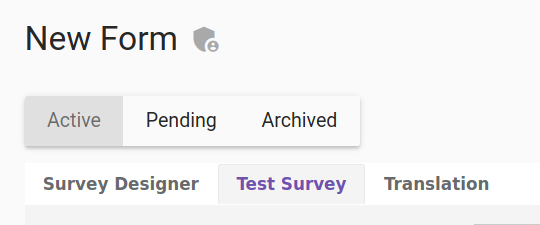
You can find the “test survey” tab in the form builder
Screenshot of the "test survey" tab in the form builder
Quick start / Basic usage
Whenever you are using the form builder you can click on the “test survey” and then: You can show invisible elements. You can adapt the display to another device than a computer. *You can fill your form to test it.
Feature description
Show invisible elements
This will show the elements that has the “is visible” value to false.
Screenshot of the "show invisible elements" checkbox

Choose device
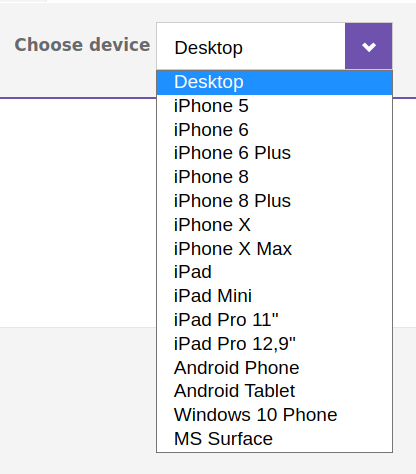
This will allow you to view the display on another device to see if it fits correctly.
Screenshot of the "choose device" dropdown menu
Test your questions
All your questions will be listed on this tab. You will be able to fill in the survey to test your questions.